
Download Media Snap – Fast YouTube Video Downloader for Mac
Overview
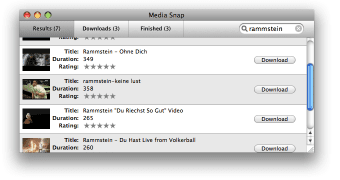
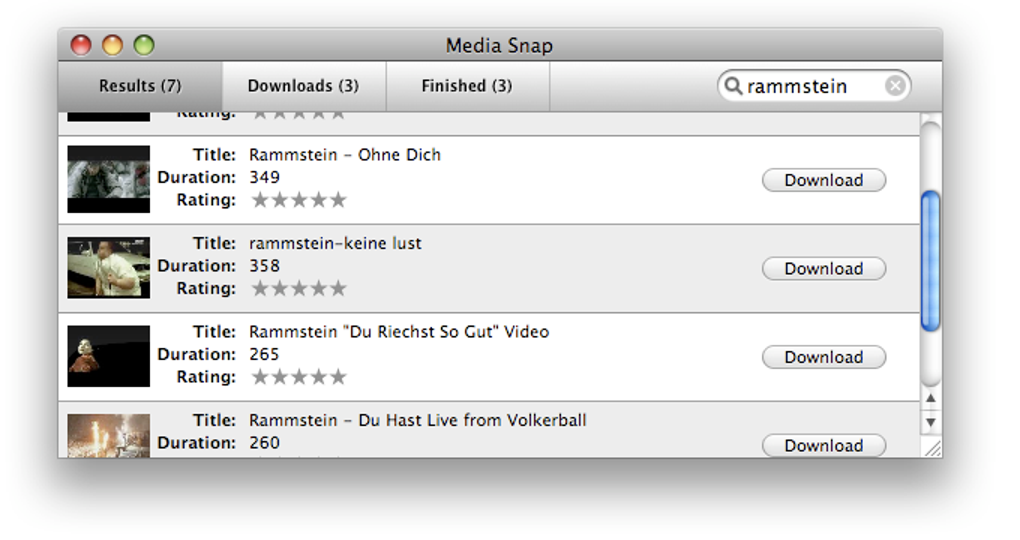
Media Snap is a lightweight, Mac‑only application designed to let you find and save YouTube videos without ever opening a web browser. In a marketplace crowded with feature‑rich but often over‑complicated downloaders, Media Snap stands out for its razor‑thin interface and a single‑purpose workflow. The program places a searchable box at the top‑right corner, letting you type the name of the video you’re after.
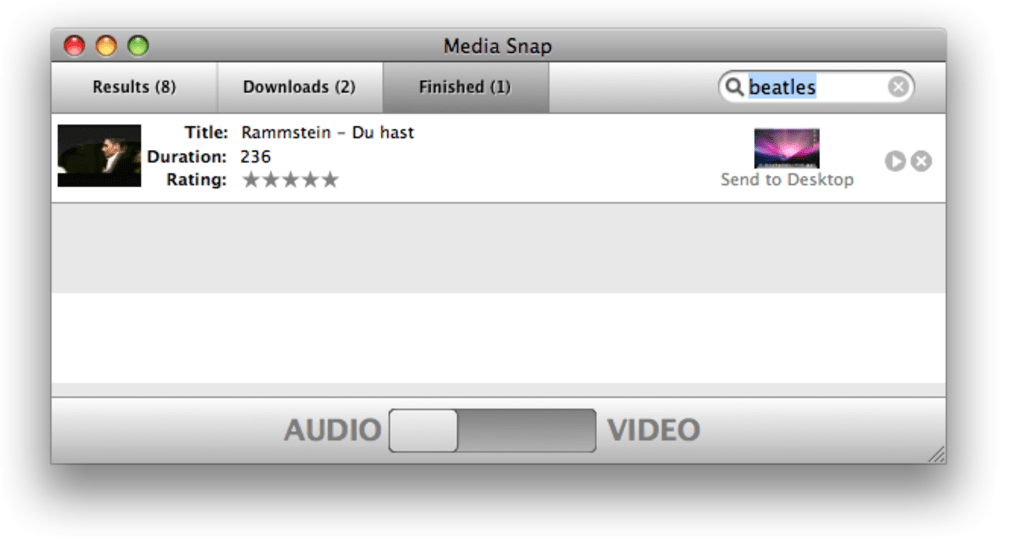
As you type, Media Snap queries YouTube’s public API and returns a concise list of matching results, each displayed with a thumbnail preview. Though the thumbnails are modest in size, they give enough visual context to pick the right clip quickly. With a single click on the “Download” button, the selected video is saved directly to your Mac in either QuickTime (.mov) format for video or MP3 for audio‑only extraction.
While the output options are limited to these two formats, they cover the majority of everyday use cases—whether you need a quick clip for a presentation or an audio track for a podcast. Media Snap does not currently support pasting a URL or video ID, a feature many power users expect, but its simplicity makes it an attractive option for casual users who want a fast, secure, and ad‑free solution.
Features & Installation Guide
Key Features
- Integrated YouTube search box – no need to open a browser.
- Thumbnail preview for each search result.
- One‑click download to QuickTime (MOV) or MP3.
- Native macOS UI that follows Apple design guidelines.
- Secure download – no hidden ads or bundled software.
Step‑by‑Step Installation
Getting Media Snap up and running on your Mac takes just a few minutes. Follow these steps for a smooth installation:
- Download the installer. Visit the official Media Snap website and click the “Download for macOS” button. The file is a signed
.dmgpackage, ensuring it passes Apple’s Gatekeeper checks. - Open the DMG. Double‑click the downloaded file; a window will appear showing the Media Snap icon and the Applications folder shortcut.
- Drag‑and‑drop. Drag the Media Snap icon onto the Applications folder shortcut. macOS will copy the app into
/Applications. - First launch. Navigate to the Applications folder and double‑click Media Snap. The first time you open it, macOS may warn you that the app is from an unidentified developer. Choose “Open” in the dialog to bypass the warning.
- Grant permissions. Media Snap requires access to your Downloads folder to save files. When prompted, click “Allow” in the macOS security dialog.
How to Use Media Snap
Once installed, using Media Snap is straightforward:
- Enter a keyword or video title in the search box located at the top‑right of the window.
- Press Enter or click the magnifying glass icon. Results appear in a scrollable list with small thumbnails.
- Hover over a result to see the video length and view count.
- Click the “Download” button next to your chosen video. A small dialog will ask whether you want the file in QuickTime (video) or MP3 (audio) format.
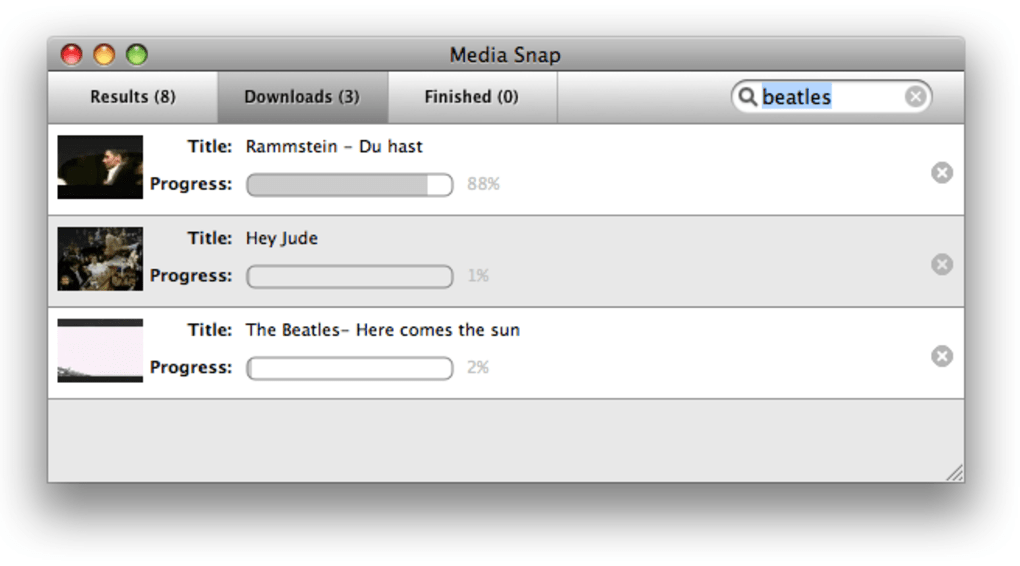
- Choose the format, confirm the save location (default is the Downloads folder), and let Media Snap handle the rest. The progress bar shows real‑time download status.
Because the app does not require a separate browser window, you can keep your workflow uninterrupted—ideal for content creators, educators, or anyone who needs a quick offline copy of a YouTube clip.
Compatibility, Pros & Cons, and Frequently Asked Questions
Compatibility
Media Snap is built exclusively for macOS 10.13 (High Sierra) and later. The application runs natively on Intel‑based Macs as well as Apple Silicon (M1, M2, and later) thanks to Apple’s Rosetta 2 translation layer, though performance is optimal on native ARM builds released in version 2.0 and above.
Pros
- Extremely simple UI – no clutter or confusing settings.
- Fast, integrated YouTube search without leaving the app.
- Secure, ad‑free experience with no hidden fees.
- Lightweight installation (under 30 MB).
- Native support for both Intel and Apple Silicon Macs.
Cons
- Limited output formats – only QuickTime (MOV) and MP3.
- No option to paste a direct YouTube URL or video ID.
- Thumbnail previews are small, which can make video identification harder.
- Mac‑only; no Windows, Android, or iOS versions currently available.
- No batch‑download capability.
FAQ
Is Media Snap free to use?
Yes, Media Snap is completely free. There are no hidden subscription fees or premium upgrades.
Can I download videos in formats other than MOV or MP3?
Currently Media Snap only supports QuickTime (MOV) for video and MP3 for audio. Future updates may add more formats based on user feedback.
Does Media Snap violate YouTube’s terms of service?
Media Snap uses YouTube’s public search API for finding videos, but the actual download process works on the public media streams. While it’s technically permissible for personal use, you should always respect copyright laws and YouTube’s policies.
How secure is the download process?
The application is signed by its developer and does not bundle any third‑party trackers or adware. Downloads are performed over HTTPS, ensuring data integrity.
Can I use Media Snap on Windows or Linux?
At present Media Snap is macOS‑only. The development team has indicated interest in expanding to other platforms, but no official release date has been announced.
Pros: Simple UI, fast integrated search, secure and ad‑free.
Cons: Limited format options, no URL paste, macOS‑only.
Conclusion & Call to Action
Media Snap fills a niche for Mac users who need a quick, no‑frills way to locate and download YouTube content without juggling multiple tabs or third‑party web services. Its streamlined interface, built‑in search, and secure, ad‑free environment make it a solid choice for students, educators, and casual creators alike. While the lack of broader format support and the inability to paste URLs may deter power users, the application’s speed, reliability, and native macOS performance compensate for these shortcomings. If you’re looking for a free, straightforward tool that respects your privacy and gets the job done in under a minute, Media Snap is worth a download.
Ready to try it? Download Media Snap now and start saving your favorite YouTube videos instantly.







